


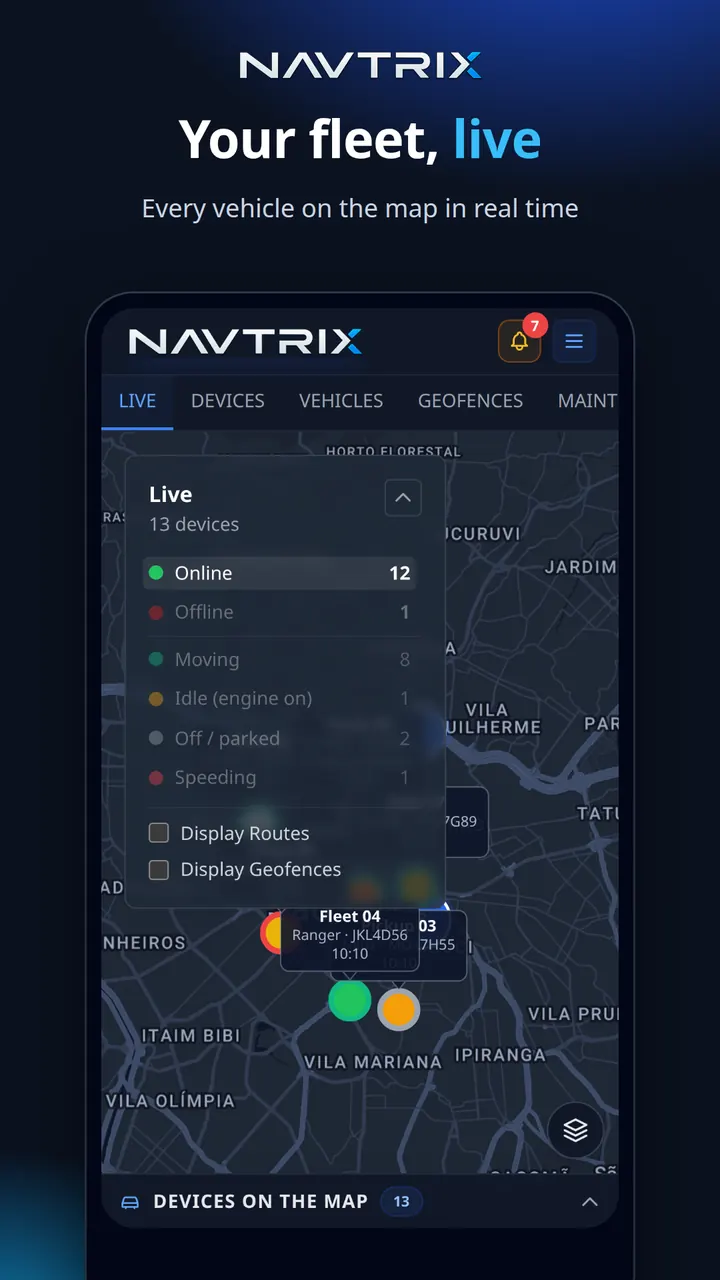
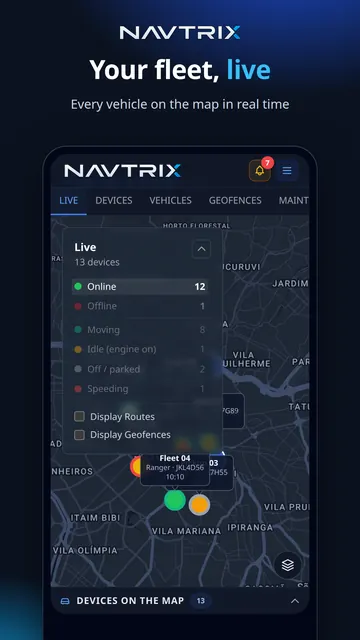
Live map
Real-time positions with speed, ignition, heading and street address. Filter by moving, stopped, offline or speeding.
A tracking platform for GT06 (Concox, Jimi IoT), Suntech, Coban/TK103 and Jmak J-R12 devices — or just use your Android phone. Live map, trip history, alerts and geofences, with no contract.
No credit card · free trial on every new tracker · no lock-in
One minute with the live map, alerts and trip history — the same dashboard you get on the free trial.
More videos on our YouTube channelGeneric factory apps: slow, half-translated, with barely any history and nobody to call when their server goes down.
High monthly fees, 12-month commitments, setup fees and a bundle of services you never asked for — just to see your car on a map.
Alerts that fire when the problem is the server, not your tracker — until you stop trusting any of them.
No software to install and no sales call. If your tracker is already in the vehicle, all you do is point it at Navtrix.
Sign up in under a minute, no card required. Then add your tracker to the dashboard by its IMEI.
Text it the server-and-port command for your model (e.g. GT06) with the Navtrix address. We show you the exact command.
As soon as the first position arrives the vehicle shows up on the live map — and your 7-day trial starts counting.
Install the Navtrix app on Android, sign in and tap "Track this phone". Your phone becomes a tracker, with history and alerts like any other device.
How to track a phone →
Pick your device type and see how to set it up. Every tracker uses the same server address and port.
Which tracker do you have?
✓ Works with Navtrix
Register the IMEI in the dashboard, set the SIM's APN and text the tracker the SERVER command with the Navtrix IP number and port.
Compatible with the GT06 protocol (confirm in the manual): Concox GT06N, GT06E, GT02 / GT02A, CRX1 / CRX3, Jimi JM-VL01 / VL02 / VL03, VL103M, JM-LL01, TrackerKing J16, J14, OB22, ET100
Most trackers only accept the IP number — use it. Use the server name (DNS) only if your model's manual asks for a domain.
SMS commands — by IP (recommended)
APN,<apn>#SERVER,0,34.26.86.4,5000,0#
Alternative — with the server name (DNS)
SERVER,1,ip.navtrix.app,5000,0#Commands vary between models and firmware versions: check your tracker's manual. Replace <apn> with your SIM carrier's APN; some firmware asks for a password before the command.
Can't find your model? Email navtrix@navtrix.app
Real screens from the Navtrix dashboard, in the browser and on your phone.
Real-time positions with speed, ignition, heading and street address. Filter by moving, stopped, offline or speeding.

Routes for today or any period, with stops grouped together, time stopped and distance driven. Export to Excel.

Speeding, geofence entry and exit, ignition and tracker offline. Before telling you a vehicle went silent, Navtrix first checks the problem isn't on our side.

Draw areas on the map and get notified whenever a vehicle enters or leaves them.

Share a vehicle's position through a temporary link — the person receiving it doesn't need an account.

Log refuelling and maintenance per vehicle. With CAN-capable trackers (Jmak J-R12): engine RPM, fuel level and driver identification by RFID tag.
Open a demo vehicle on the map, exactly as someone receiving a shared link would see it.
Open the live demoYou pay per device, per month. The longer the period, the bigger the discount.
You pay per device, per month, with no setup fee. 3, 6 and 12-month plans come with a discount.
Free for 7 days
Navtrix accepts trackers that speak the GT06 protocol (Concox, Jimi IoT and compatibles), Suntech (ST300, ST8310, ST4315…), Coban/TK103 (TK103B, TK303, TK403…) and Jmak J-R11/J-R12, plus Android phones running the Navtrix app. Not sure? Email navtrix@navtrix.app with your device model.
No. The 7-day free trial asks for no card and no payment details at all. Each account can trial 1 device, and the clock only starts when it sends its first position.
Your account, settings and history stay where they are. The device's data is locked until you pay, but its positions keep being recorded for up to 30 days after expiry — once you pay, everything from that period shows up. After 30 days without payment, recording stops.
No minimum term and no cancellation fee. Plans are prepaid for a period (1, 3, 6 or 12 months): you use it until the end and decide whether to pay for the next one — nothing is ever charged automatically. We email you a reminder before it expires.
Yes. You can cancel within 7 days of payment and get your money back in full — in Brazil this is your right under article 49 of the Consumer Protection Code. Just email navtrix@navtrix.app.
By card, in US dollars. Payments are processed by Stripe; Navtrix never stores your card details. (Customers paying in Brazilian reais can also use Pix and boleto.)
The connection to the dashboard is always encrypted (HTTPS), each account only ever sees its own vehicles and users, and data is handled under Brazil's data protection law (LGPD). See our privacy policy for details.
Yes. With the Navtrix app for Android, your phone reports its location in the background while tracking is switched on — and you can stop it whenever you like.
Yes. Reconfigure the trackers with the Navtrix address and port — no hardware swap. Each customer gets a sub-account and pays for their own trackers, and you earn a commission on every monthly fee they pay. See the business page.
No. Navtrix is the platform: you use the tracker you already have (or buy the one you prefer), and installing it in the vehicle is up to you or your installer.
Create your account, point your tracker at us and watch the first position come in. 7 days free, no card.
No credit card · free trial on every new tracker · no lock-in